Parallel transfers
Every protocol pools connections so multiple files move at once. SFTP adds per-file multi-stream transfers that adapt as throughput changes.
Driio is a file provider for SMB, NFS, SFTP, FTP, S3, WebDAV, OneDrive, and Dropbox. It runs on Apple's framework, so Spotlight, Quick Look, and the share sheet work like they would for any folder. No FUSE, no kernel extensions, no permission popups.
macOS 15.4 or later. iOS 18.4 or later. Universal purchase.
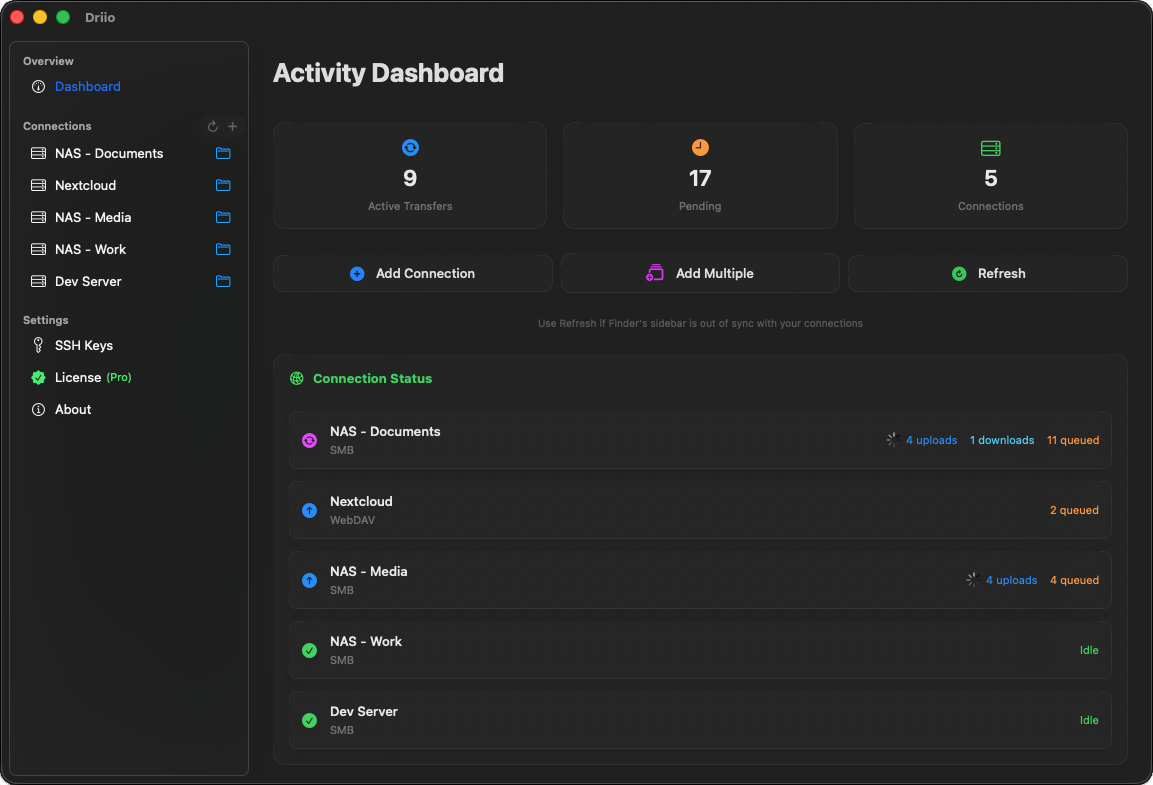
A short list of the things that took the longest to get right.
Every protocol pools connections so multiple files move at once. SFTP adds per-file multi-stream transfers that adapt as throughput changes.
There's no Driio account. Credentials live in iCloud Keychain. Bytes go from your device straight to your server.
No FUSE. No kexts. No "system extension blocked" popups. Spotlight, Quick Look, and the share sheet just work.
Polling intervals, SFTP session counts, S3 multipart thresholds. Override the defaults if your network or server is unusual.
See uploads, downloads, and queued operations in real time. SMB and SFTP transfers respect Microsoft Office lock files.
Add a connection on your Mac, it shows up on your iPhone. Passwords, SSH keys, and OAuth tokens sync via iCloud Keychain.
One subscription, all eight. Notes below for what's worth knowing about each.
Seven days free. Then pick whichever fits. Same features in every tier.
For trying it out, or if you only need it occasionally.
Subscribe monthlyWorks out to about $1.25 a month. Most people pick this one.
Subscribe annuallyNo subscription, no renewals. Buy it, keep it.
Buy onceBilled through the App Store. The seven-day trial does not require a payment method until it's over. Subscriptions can be cancelled in Settings.