Parallel Transfers with Adaptive SFTP Streaming
All protocols transfer multiple files simultaneously via connection pooling. SFTP goes further with per-file multi-stream transfers that auto-tune concurrency based on real-time throughput.
Native file provider for macOS and iOS. No kernel extensions, no FUSE. Connect to SMB, SSH, FTP, S3, WebDAV, and Dropbox — with iCloud sync across all your devices.
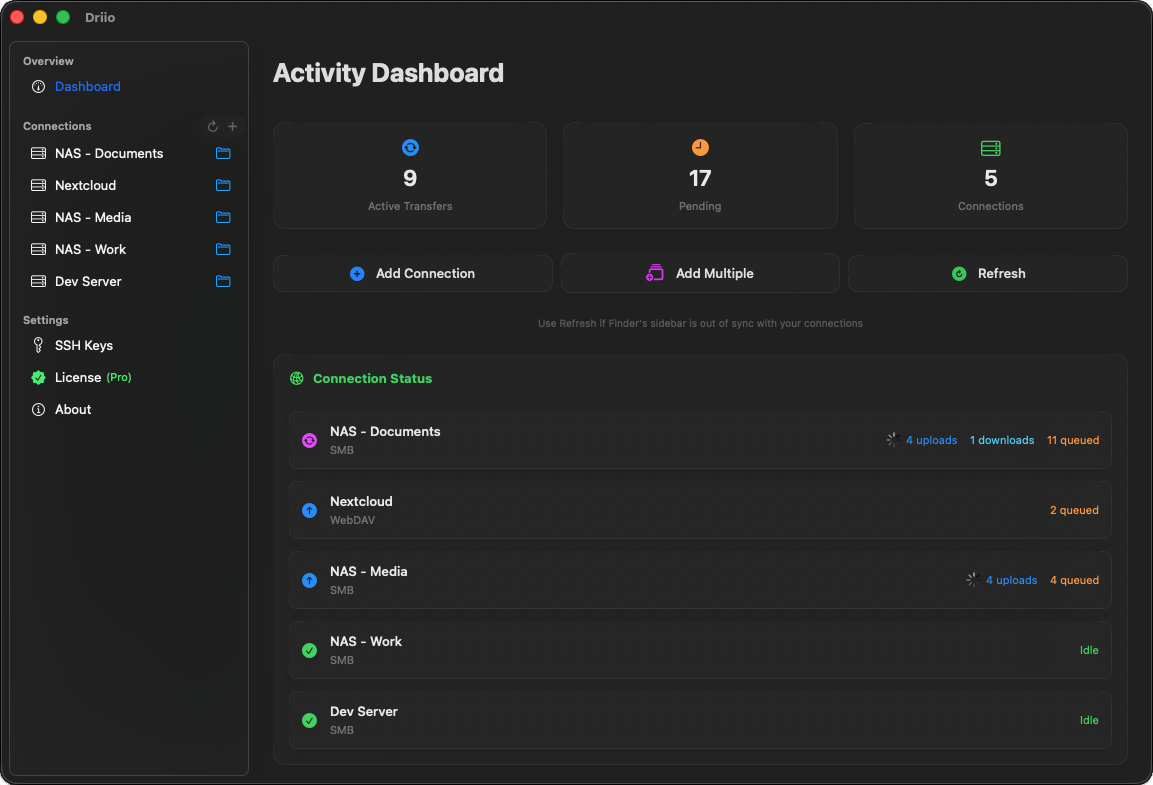
Driio brings professional-grade file mounting to your Mac and iPhone with a beautiful, native experience.
All protocols transfer multiple files simultaneously via connection pooling. SFTP goes further with per-file multi-stream transfers that auto-tune concurrency based on real-time throughput.
No account creation, no third-party servers. Your credentials stay in iCloud Keychain. Your data goes straight from your device to your server. Privacy-first.
No FUSE, no kernel extensions, no system extension prompts. Appears naturally in Finder on Mac and Files on iPhone. Works with Spotlight, Quick Look, and all native features.
Polling intervals, SFTP session limits, S3 multipart thresholds — configurable per connection for power users who want fine-grained control.
Real-time transfer monitoring with MS Office lock file awareness (SMB & SFTP). See uploads, downloads, and queued operations at a glance.
Add a connection on your Mac and it appears on your iPhone. Passwords, SSH keys, and OAuth tokens sync via iCloud Keychain.
Connect to any server or cloud service with the protocol that fits your needs.
Windows shares, NAS devices, and Samba servers. Full SMB2/3 support with guest access.
Secure shell access with password or key authentication. The most secure way to transfer files.
HTTP-based file access. Perfect for web hosting, cloud storage, and corporate intranets.
Classic file transfer protocol with optional TLS encryption. Wide server compatibility.
Amazon S3 and S3-compatible object storage. Access cloud buckets like local folders.
Access your Dropbox files in Finder and Files. Secure OAuth sign-in — your password is never stored.
Try free for 7 days. Then choose the plan that works for you.
per month
per year
pay once
Download Driio from the App Store and start mounting your servers in seconds.